The Fusion app

Coming
soon.

Your engineer, in your pocket. Every session turned into corner-by-corner answers at the track: what to change in your driving, what to change on the kart, and where your mates are quicker.

App StoreiPhone Google PlayAndroid Webdashboard
01

Dashboard

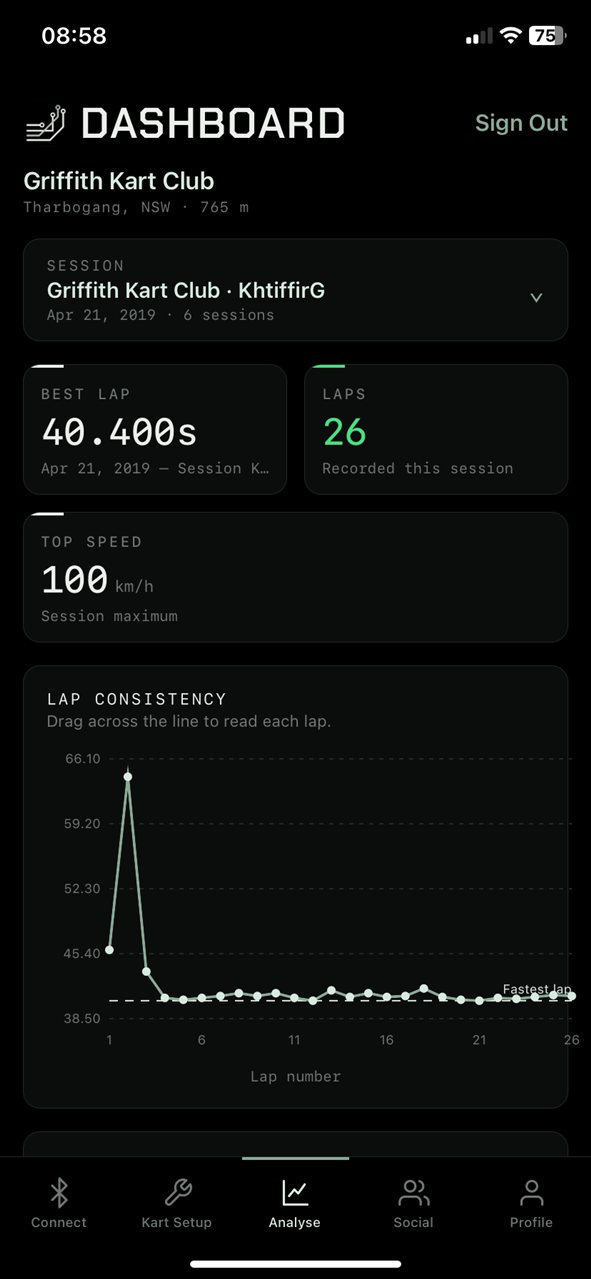
Pick a session and see it at a glance: best lap, laps, top speed and how consistent you were across the run, then dive into any part of it.

Fusion app dashboard for a Griffith Kart Club session: best lap 40.400s, 26 laps, top speed 100 km/h and a lap consistency chart
02

Where the time went

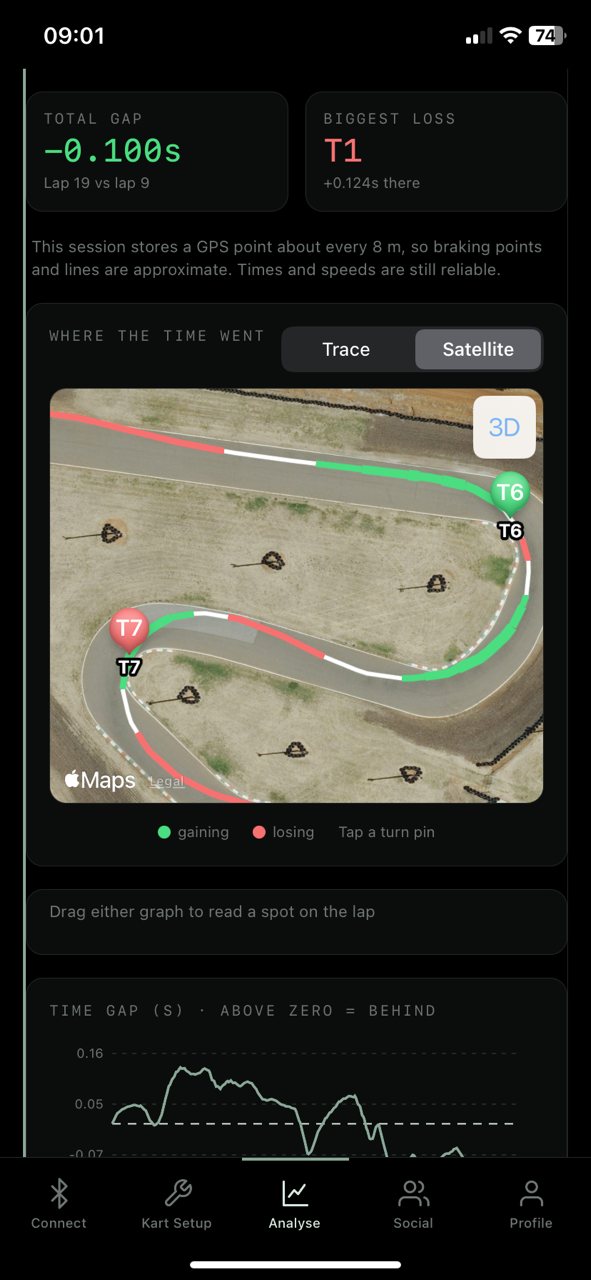
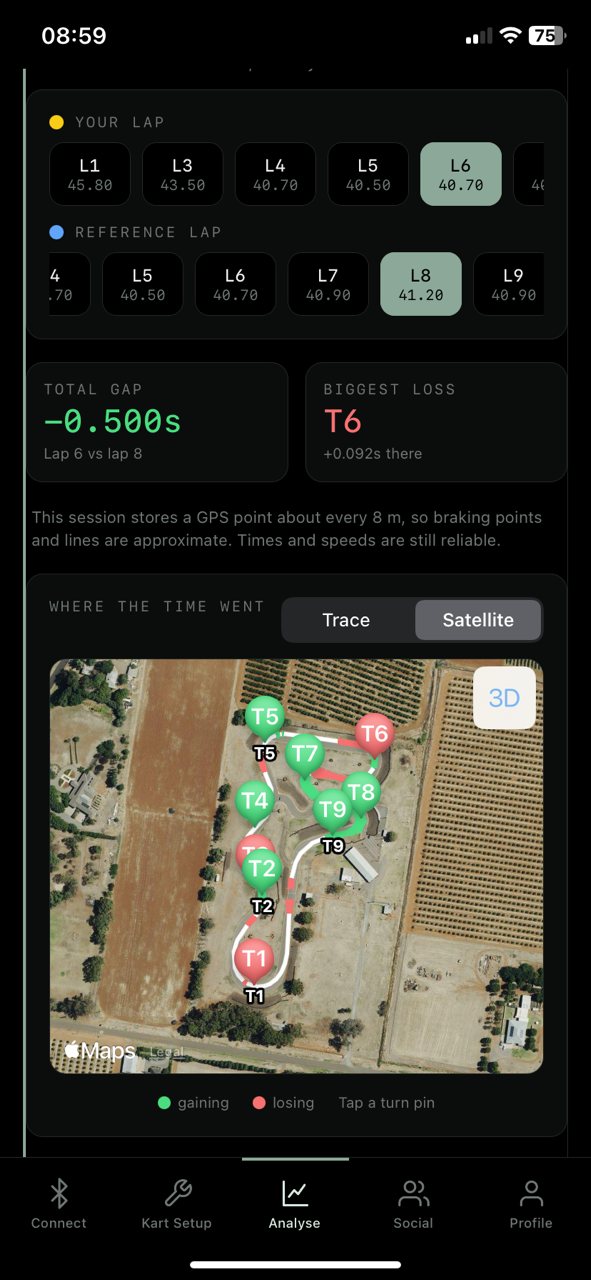
Any lap against any other, on the satellite map of the track. Green where you gained, red where you lost, every turn pinned. Tap one for its breakdown, or tilt into 3D and zoom right into the corner.

Corner by corner at Griffith: lap 6 against lap 8 on Apple Maps satellite imagery, turns pinned green and red, total gap −0.500s Close-up of turns 6 and 7 on satellite imagery with the line coloured where time was gained and lost
03

Driving & setup advice

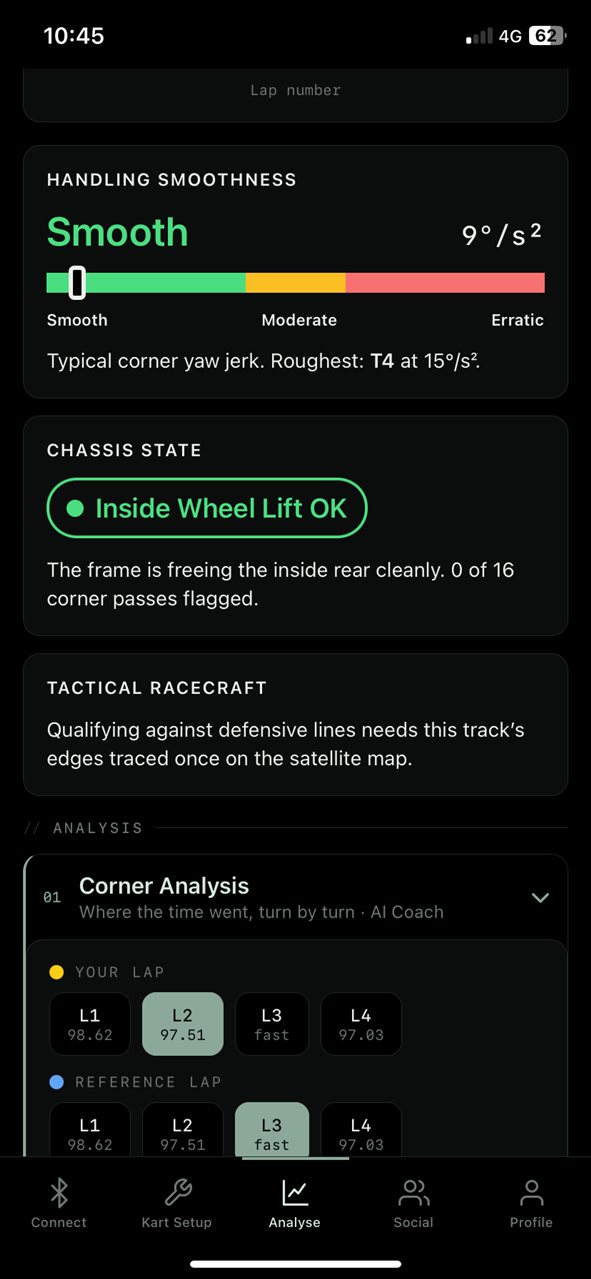
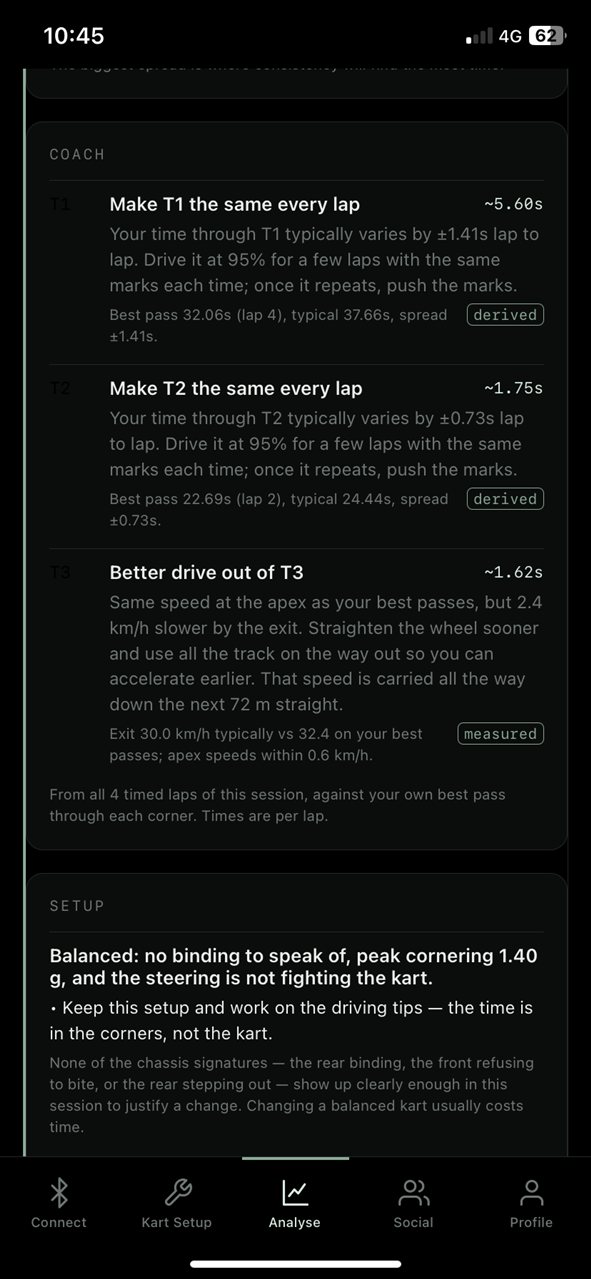
The coach finds the three changes worth the most time and tells you how to make them, with the numbers behind each one. The logger's motion sensor reads how smooth your hands are and whether the chassis is lifting the inside rear, and the setup card turns that into what to change on the kart.

Handling smoothness rated Smooth on a green, amber and red bar, chassis state Inside Wheel Lift OK, and the tactical racecraft card The coach's three tips with the time each is worth and the evidence behind it, and the setup card's diagnosis
04

Lap & friend comparison

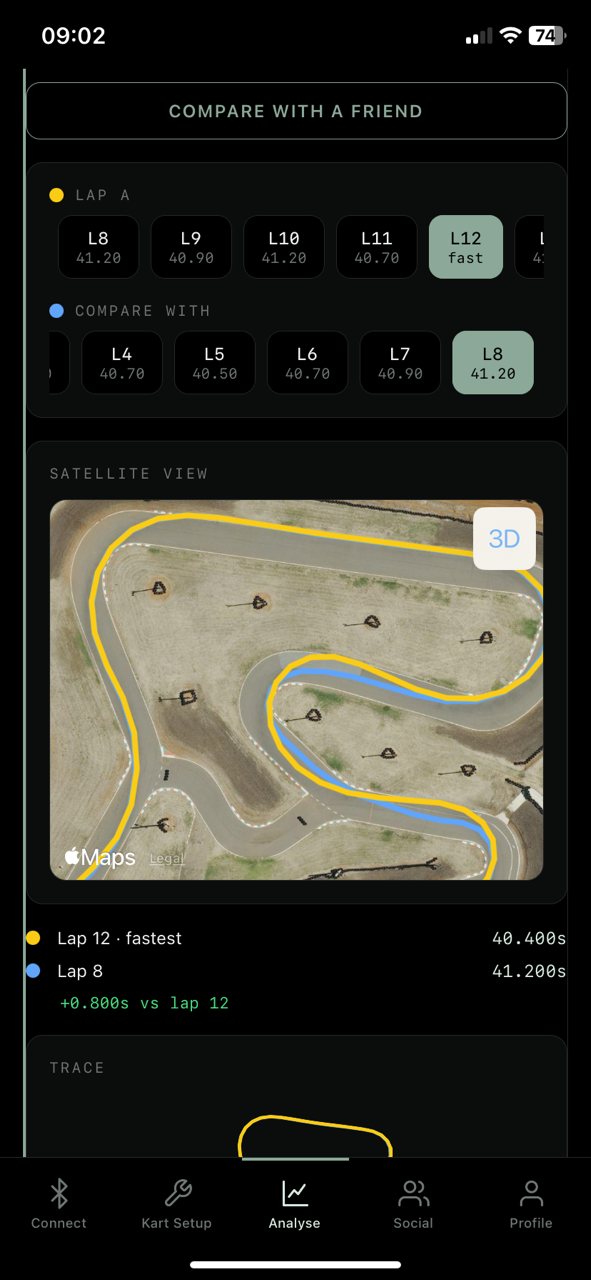
Put two laps side by side on the satellite view and see exactly where the lines split, for your own laps or your fastest against a friend's at the same track.

Racing line comparison: lap 12 in yellow against lap 8 in blue on satellite imagery, with a Compare With a Friend button
05

Post your sessions

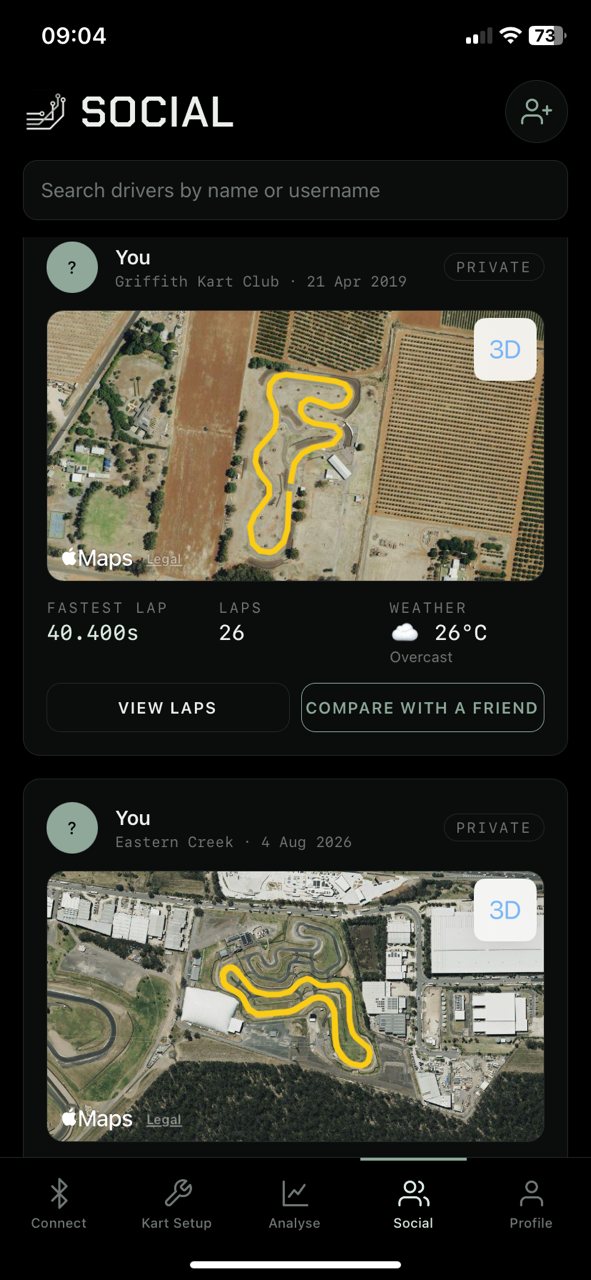
Share a session to your friends' feed with the track, fastest lap, laps and weather. Everything starts private and you choose what's shared. Anyone you've added can compare straight against their own laps.

The social feed with sessions at Griffith Kart Club and Eastern Creek on satellite maps, each with fastest lap, laps and weather
06

Live logger link

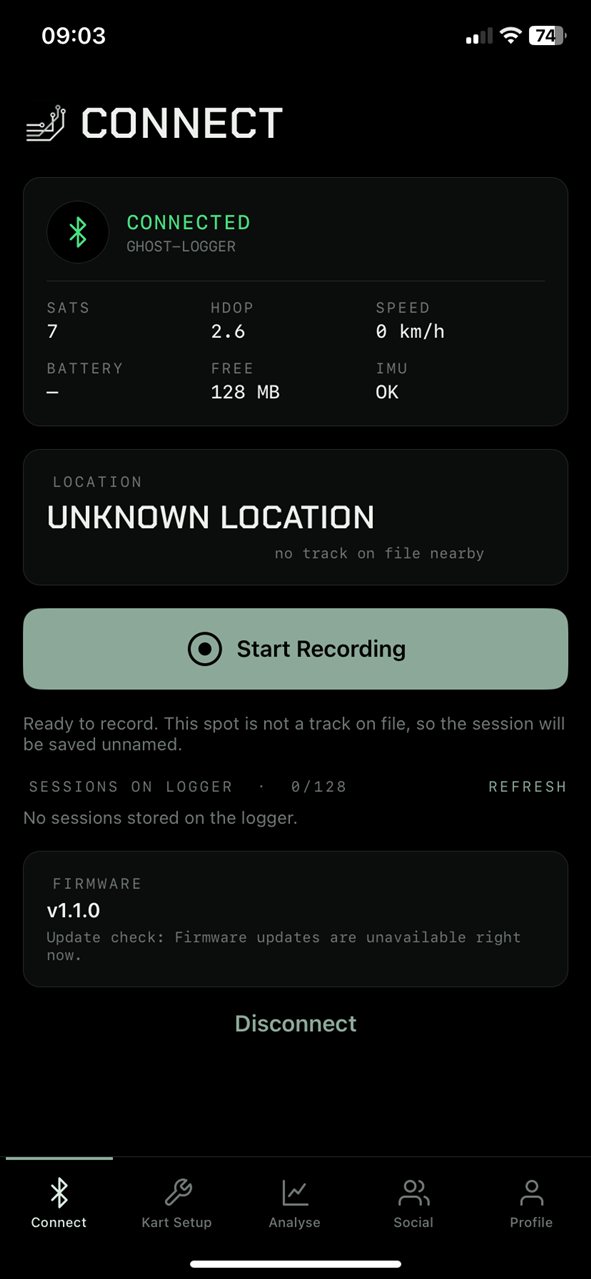
Connect to the Ghost Logger over Bluetooth, watch the satellites lock in, check the motion sensor and storage, and start or stop a run from your phone. Firmware updates install from here too.

Connect screen: Ghost Logger connected with satellites, HDOP, speed, free storage and IMU status, and a Start Recording button
07

Garage & setup sheets

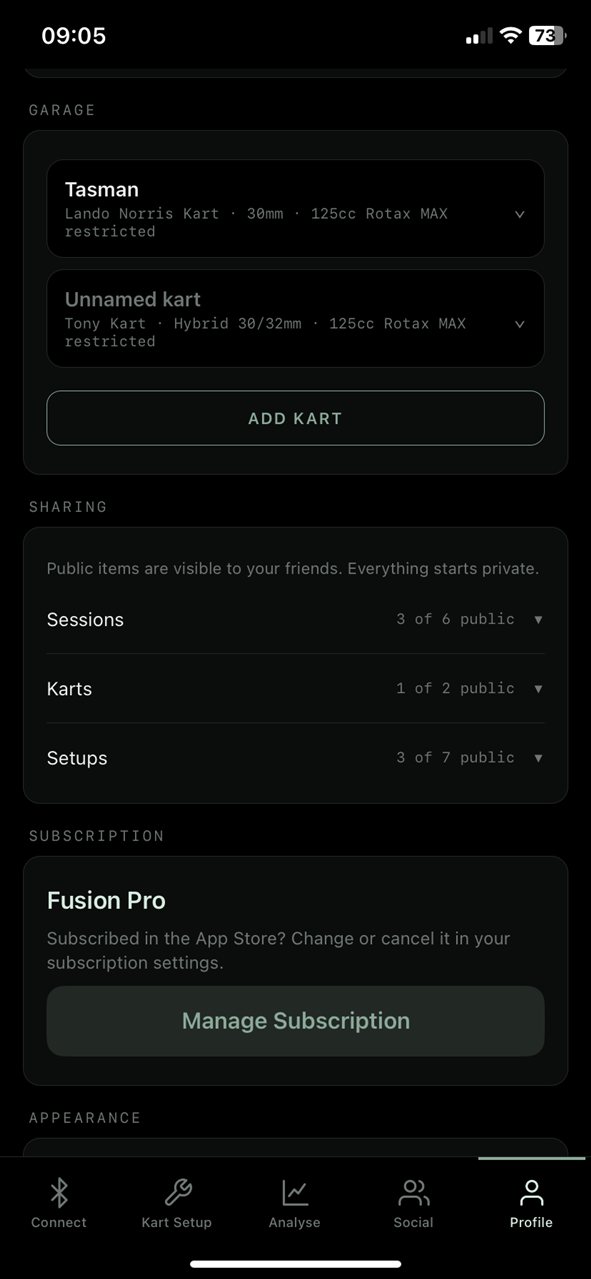
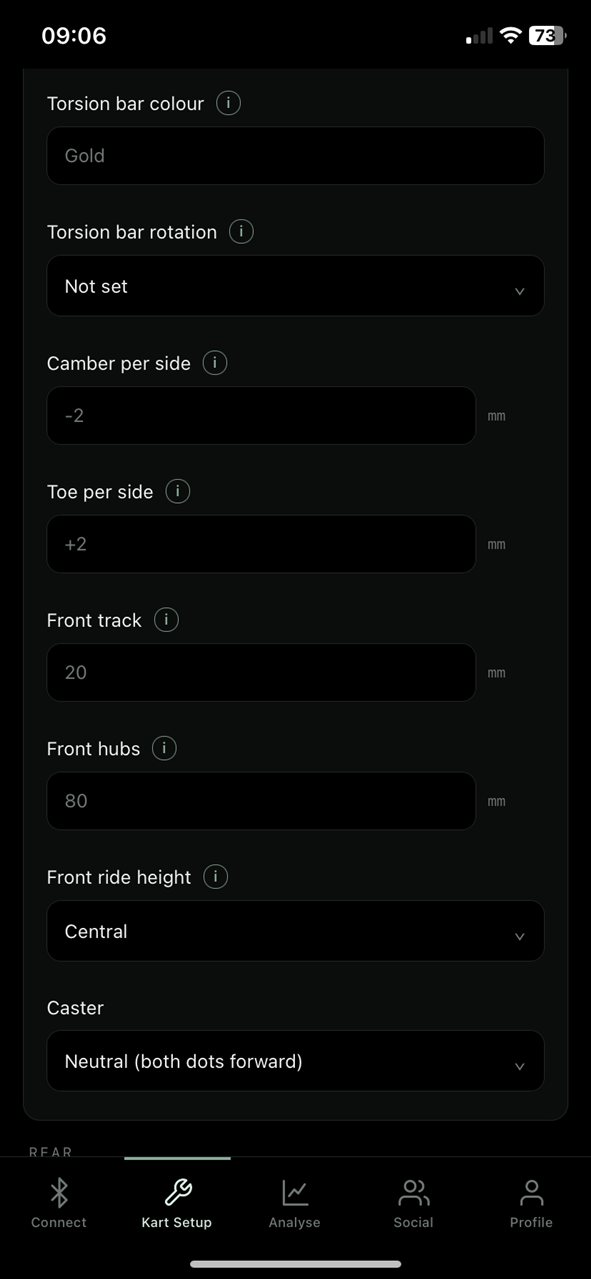
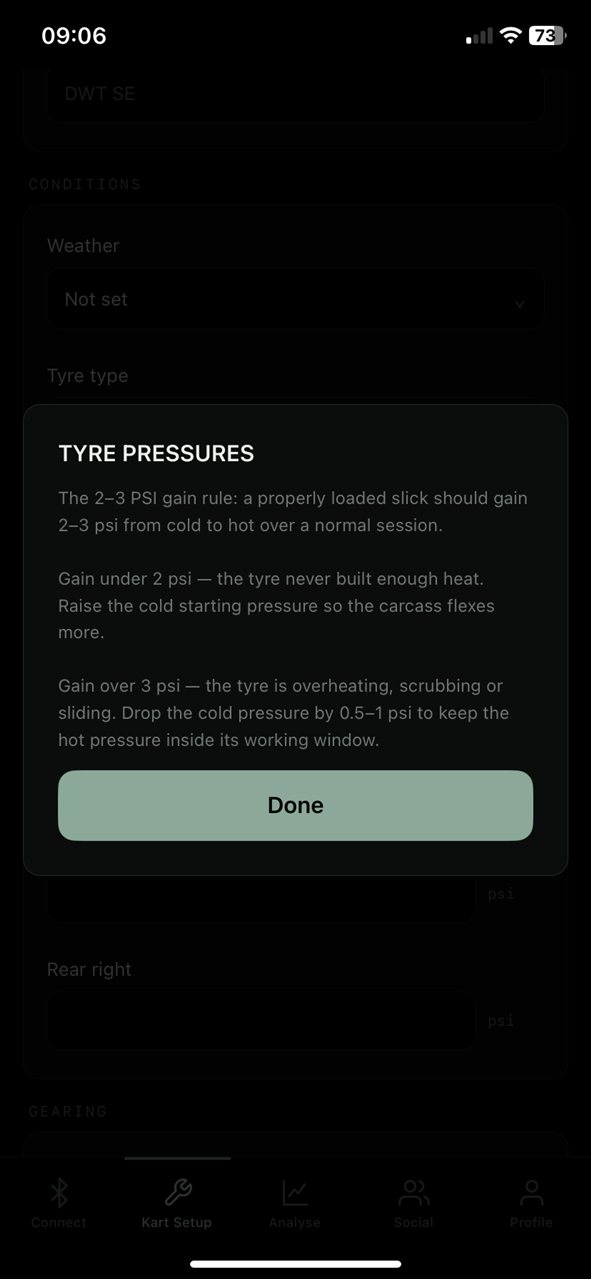
Every kart in your garage and every setup sheet (camber, toe, track widths, hubs, ride heights, pressures, gearing) saved against the session it ran in. Tap any i for what that setting actually does.

Profile garage with two karts, sharing settings and the Fusion Pro subscription Kart setup sheet: torsion bar, camber, toe, front track, front hubs, ride height and caster Tyre pressure guidance: the 2 to 3 psi gain rule from cold to hot

Be first on
the grid.

The app launches alongside the first run of Ghost Loggers. Reserve one now and you'll be set up the day it lands. Or use the web dashboard today with the CSV from the logger you already own.

Reserve a Ghost Logger for $349.99 Open the web dashboard

Screens from development builds. Maps © Apple.